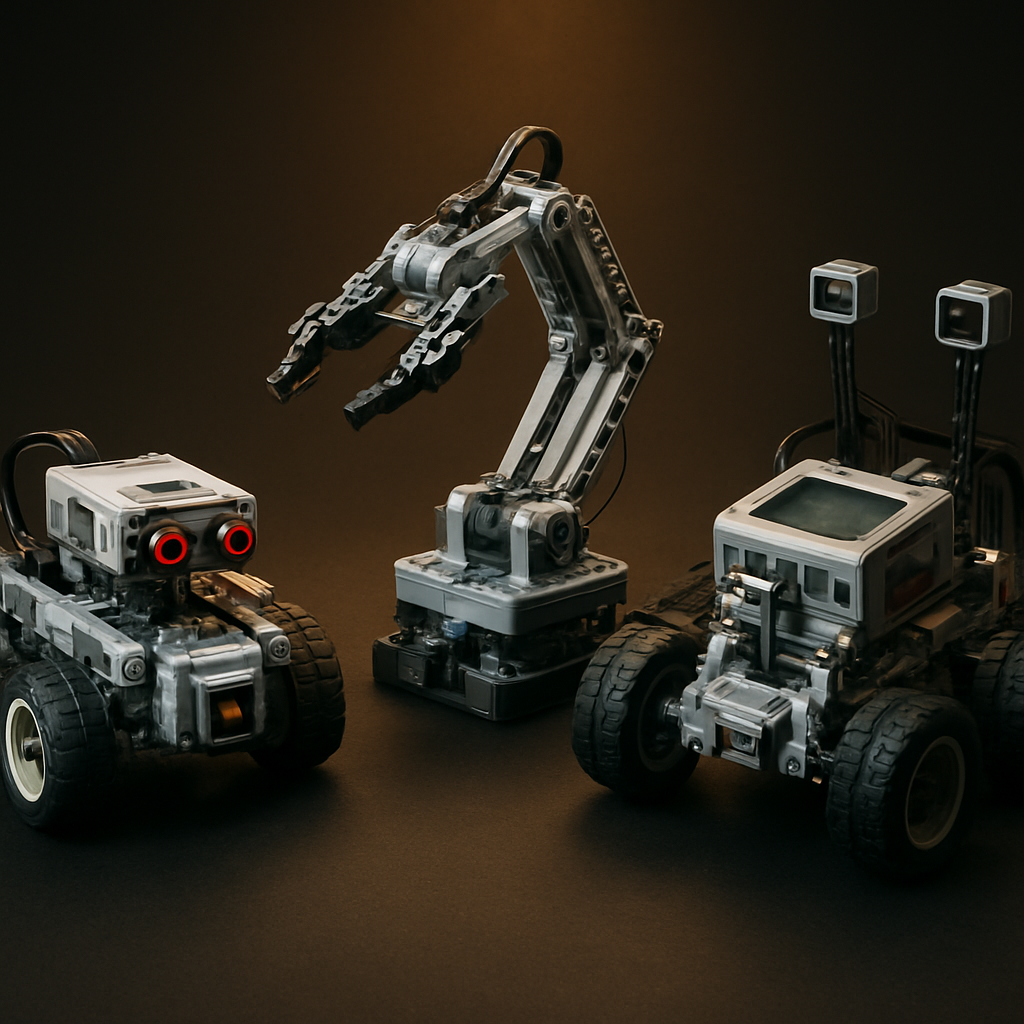
Quick Takeaways
- 1Match the controller, motors, and sensors to your skill level first.
- 2Confirm brick compatibility (8mm stud, ABS) before you buy.
- 3Software matters as much as hardware — check it early.
- 4A free missing-piece policy signals a maker you can trust.
Why Look for a Mindstorms Alternative?
The original Mindstorms line is winding down. Official support shrinks, prices climb on the secondary market, and replacement parts get harder to find. Builders need a path forward.
A good lego mindstorms alternative delivers the same core experience — programmable bricks, responsive motors, and real sensor feedback — without the discontinued-product headaches. Many systems now match or beat the original on part count, sensor variety, and software flexibility.
The robotics-brick market matured fast. Today's best alternatives serve classrooms, hobby benches, and family tables alike.
Step 1: Understand the Core Components
A robotics brick system has four parts. Know each one before you shop.
Controller (Brain)
Runs your programs and powers everything. Look for: rechargeable battery, multiple motor ports, multiple sensor ports, Bluetooth or USB connectivity.
Motors (Movement)
Servo motors offer precise position control — ideal for robotic arms. DC motors deliver continuous rotation for wheels. Quality motors include built-in encoders.
Sensors (Awareness)
Let a robot respond to its environment. A starter system should ship with at least a distance sensor and a color sensor — these two unlock most beginner projects.
Bricks (Structure)
The bricks form the body. This is where compatibility becomes critical. Standard 8mm stud, ABS plastic, and Technic-compatible elements matter most.
Mini-conclusion: controller, motors, sensors, bricks. Evaluate all four, not just the price.
Step 2: Confirm Brick Compatibility
A robotics kit is only as useful as the bricks you can connect to it. Compatibility protects your existing collection and your future builds.
Most reputable makers use the standard system: 8mm stud spacing, ABS plastic, consistent clutch power. This means the parts lock onto your current bricks without gaps or wobble.
Check these specs before buying:
- ✓Stud spacing: Standard 8mm grid
- ✓Material: ABS plastic — durable and color-stable
- ✓Technic compatibility: Pin holes, axles, beams, and connectors that match the Technic-style system
- ✓Clutch power: Firm hold, clean release
High-quality lego alternative bricks mix seamlessly with parts you already own. That matters for robotics, where Technic beams, axles, and gears do most of the structural work. Browse the robotics-compatible brick sets at Morebybourn to compare specs side by side.
Mini-conclusion: confirm the 8mm stud, ABS material, and Technic-element compatibility. These three checks prevent the most common disappointment.
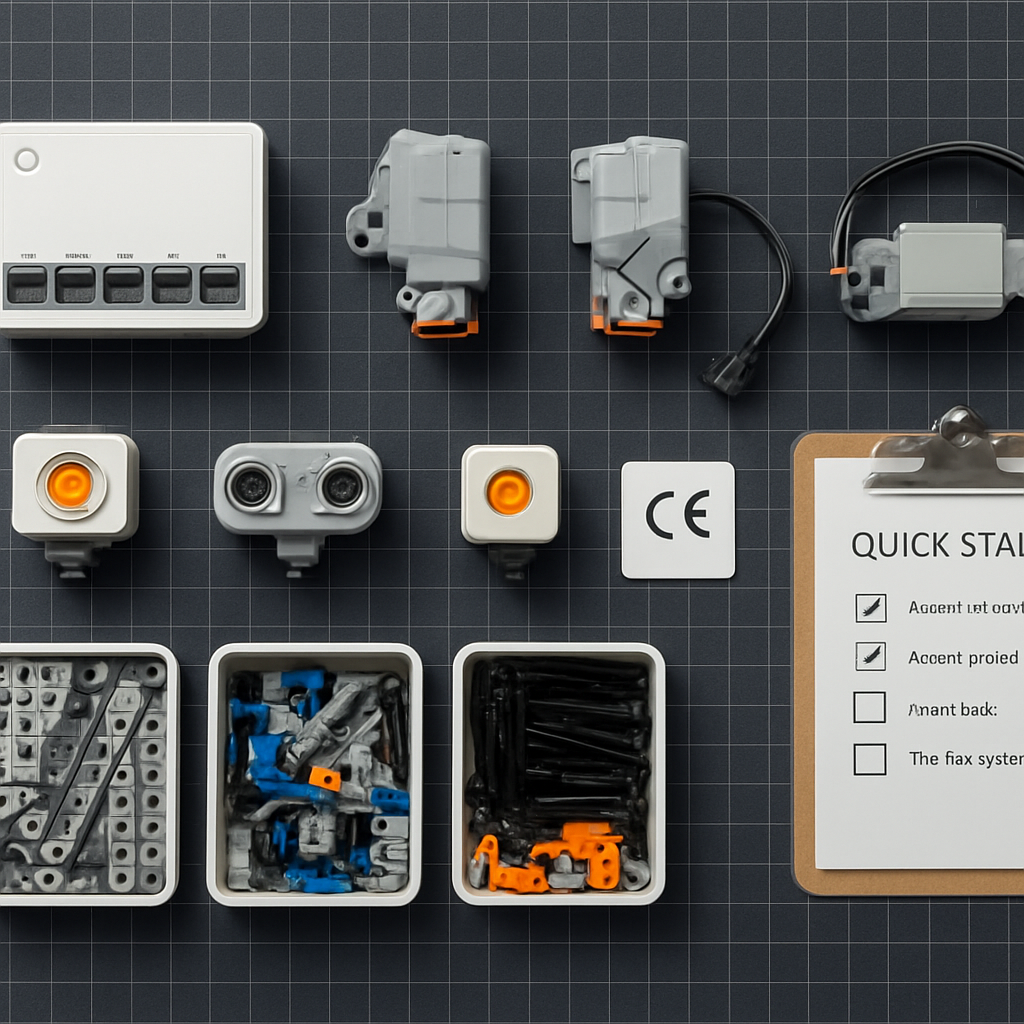
All four core components laid out before a build: controller, motors, sensors, and Technic-compatible bricks.
Step 3: Evaluate the Software
Hardware moves the robot. Software brings it to life. Don't skip this step — it's where many buyers get stuck.
Match to Skill Level
Block-based coding works best for kids 8+ and beginners. Text-based coding (Python, C) suits teens and makers. Look for systems that support a transition between the two.
Check Platform Support
Confirm the software runs on your devices — Windows, macOS, iOS, Android, or Chromebook. Classrooms often run Chromebooks, so check that specifically.
Active Community
A platform with tutorials, sample projects, and an online community shortens the learning curve. User-shared builds and code give you a starting point and inspiration.
Mini-conclusion: pick software that fits your current skill and scales up. Free, well-documented platforms add long-term value.
Step 4: Compare Educational Value
For parents and educators, learning outcomes justify the purchase. A robotics kit should teach, not just entertain.
What Strong STEM Kits Teach
Age and Difficulty Fit
Match the kit to the builder. A 5-piece-per-step beginner set frustrates a teen. A 1,000-piece advanced robot overwhelms a young child. For mixed-age families, choose a modular system — start simple, add motors and sensors as skills grow. This stretches your investment across years.
Step 5: Avoid Common Buying Mistakes
Buying on price alone
The cheapest kit often ships brittle plastic, weak motors, or buggy software. Cost per piece matters more than sticker price.
Ignoring software compatibility
A great robot is useless if the app won't run on your tablet. Confirm device support before checkout.
Overlooking sensor variety
A kit with only a touch sensor limits projects fast. Two or more sensor types open far more builds.
Skipping the missing-piece policy
Robotics kits have hundreds of small parts. A maker that replaces missing pieces free stands behind the product.
Forgetting expansion
A closed system you can't extend caps your creativity. Choose parts that connect to standard bricks and Technic elements.
Judging only by piece count
Sensor quality, motor precision, and software depth matter more than the number printed on the box.
When comparing alternative bricks lego builders trust, weigh durability, software, and support together — not price in isolation. The Morebybourn product range and specs lay out these details clearly for each kit.
Step 6: Check Safety and Standards
Safety is non-negotiable, especially for younger builders. Verify these before buying:
CE marking (Europe) or ASTM F963 (US)
Required toy safety certifications for both markets.
Non-toxic, BPA-free ABS plastic
Protects children from chemical exposure during extended handling.
Age recommendations on packaging
Confirms the kit is designed for the intended builder's complexity level.
Battery safety
Sealed, rechargeable units with overcharge protection — not loose AA batteries in exposed holders.
Step 7: Get Started Successfully
You've picked your system. Here's how to launch the first build without frustration.
Set Up Your Space
Clear a flat, well-lit surface. Sort bricks by type or bag number. Keep small Technic pins and axles in a separate tray — they're easy to lose.
Charge and Connect First
Charge the controller fully. Install the software and pair the device before building. Confirm the connection works while parts are still accessible.
Build the Starter Robot
Most kits include a simple first model — a driving base or basic rover. Build it exactly as instructed. This teaches the system's logic and confirms every component works.
Run a Component Test
Before complex builds, test each motor and sensor with a sample program. A spinning motor and a responding distance sensor confirm everything functions.
Then Experiment
Once the basics work, modify. Add a sensor, change the code, rebuild the chassis. For project ideas, browse the building tips at Morebybourn for model-specific advice.
Mini-conclusion: charge, connect, build the starter model, test components, then experiment. This order prevents early frustration.
A Realistic Scenario
Picture a parent buying a first robotics kit for a 10-year-old. They choose a modular system with a rechargeable controller, two motors, a distance sensor, and a color sensor. Block-based software runs on the family Chromebook. The kit uses standard 8mm ABS bricks and Technic beams.
Week 1
Builds the starter rover and codes it to drive.
Week 3
Adds the color sensor and builds a line follower.
Month 2
Designs their own gripper bot using bricks from an older set.
One kit, months of learning, and a build that grows with the child. That's the payoff of choosing well.
Quick Comparison Checklist
Before you buy, confirm all 8 points:
Looking for compatible Technic builds to extend your robotics system? Explore the Ideas collection at Morebybourn or read the Star Wars alternative build guide for compatible large-scale models.
Ready to Choose Your Robotics Kit?
Browse our full range of STEM-compatible brick robotics sets. Every kit is checked for 8mm ABS compatibility, safety certifications, and free missing-piece support.
Frequently Asked Questions
What is the best LEGO Mindstorms alternative for beginners?⌄
Look for a kit with block-based coding, a rechargeable controller, two motors, and at least two sensors. A strong lego mindstorms alternative for beginners uses standard 8mm ABS bricks, runs on common devices, and offers a clear path from drag-and-drop blocks to text coding as skills grow.
Are alternative robotics bricks compatible with my existing collection?⌄
In most cases, yes. Reputable makers use the standard 8mm stud system, ABS plastic, and Technic-compatible pins, axles, and beams. This lets the parts connect to your current bricks without gaps or loose joints. Always confirm the material and Technic compatibility before buying.
Do these kits include programming software, and what languages do they use?⌄
Quality kits include free software. Beginner platforms use block-based, drag-and-drop coding. Advanced systems support text languages like Python or C, and the best ones let learners transition between the two. Confirm the software runs on your operating system before purchasing.
How durable are alternative bricks for repeated building and teaching?⌄
High-quality ABS plastic withstands repeated assembly and disassembly, which matters for classrooms and active builders. Choosing lego alternative bricks from an established maker — one that uses ABS and guarantees replacement parts — ensures the set holds up over years of use.
Why choose an alternative instead of the original Mindstorms?⌄
The original line is being discontinued, with shrinking support and rising secondary-market prices. A well-made alternative offers programmable controllers, quality motors, and varied sensors at a lower cost. It stays compatible with standard bricks, so your robotics builds and existing collection work together.
Related Articles

How to Choose and Build a LEGO Star Wars Alternative Set: A Complete Buyer's Guide
8-step buyer's guide — compatibility, quality checks, 88009 matching, safety standards, assembly tips, and real value calculation for Star Wars brick sets.
How to Choose LEGO Alternative Brands for Better Builds, Better Value, and Better Fit
10-step guide — compatibility, brick quality, instructions, the 5-Fit Method, and a brand comparison checklist for US and European buyers.

How to Choose High-Quality LEGO Alternatives for Military Brick Sets (2026 Guide)
12-step buyer's guide to the best LEGO alternative military brick sets — clutch power, plastic quality, instruction clarity, and a 10-point quality checklist.