How to Test Brand Compatibility and Use Trees and Lighting Bricks
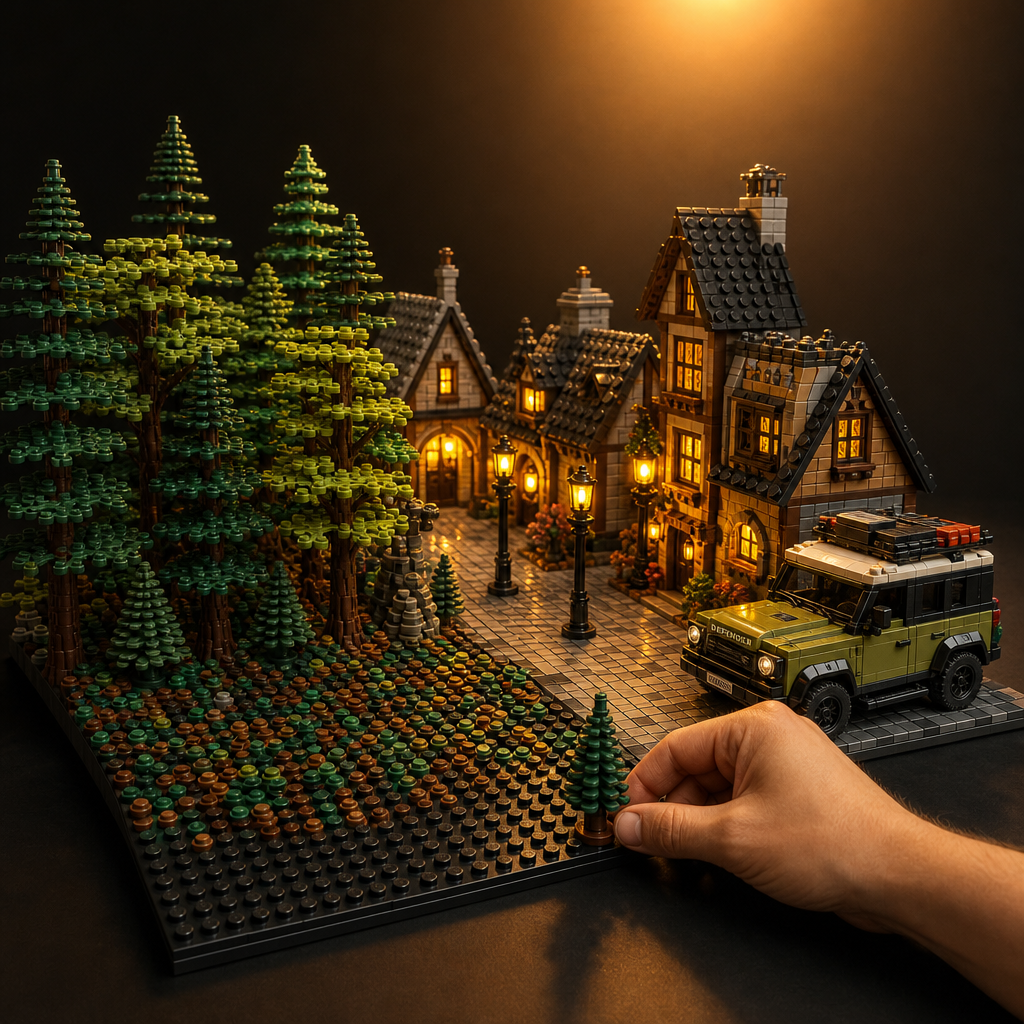
Mixing brands is where building gets interesting. You add a Mega vehicle to a city scene. You drop in glowing bricks for a night display. You line a diorama with trees from three different makers. The problem? Not every brand fits the way you expect. Some studs grip tight. Some sit loose. Some accessory pieces look right but pop off the moment you move the build.
This guide fixes that. You will learn how to test cross-brand compatibility before you commit, how to use lego compatible trees and nature pieces in real builds, and how to combine lighting bricks without ruining your layout. This is a practical reference for hobbyists, collectors, and parents across North America and Europe.
What You Will Learn
- +A repeatable 5-brick stack test for any new brand
- +Separate accessory connection checks for trees, clips, and pins
- +Is mega compatible with lego — practical verdict and scale warning
- +Are lumibricks compatible with lego — seat and glow-direction test
- +How to place lego compatible trees so they stay put
- +Lighting and greenery mixing: plan sequence and color temperature
How Cross-Brand Compatibility Actually Works
The building block hobby runs on one shared measurement. Standard bricks use 5 mm stud spacing and an 8 mm height module. Any brand that matches those numbers connects with the rest of your collection. But two bricks can share the same dimensions and still fit differently — clutch power is what separates a trusted brand from a frustrating one.
Too Loose
Walls sag, accessories fall, towers lean under their own weight.
Too Tight
Small hands can't separate pieces; studs crack under repeated force.
Just Right
A firm snap on, a clean pull off — every time, every brand.
Accessory Fit Is Its Own Test
A brand can pass the size test and fail the grip test. And even when bricks fit perfectly, accessories — trees, lamp posts, lighting bricks — use specific connector types (single stud, clip, bar, pin) that must be tested separately. Never assume one result covers both.
How to Test if Different Brands Are Truly Compatible
You do not need tools — just five minutes and a few pieces from your existing collection. Run this test on any new brand before you trust it in a real build.
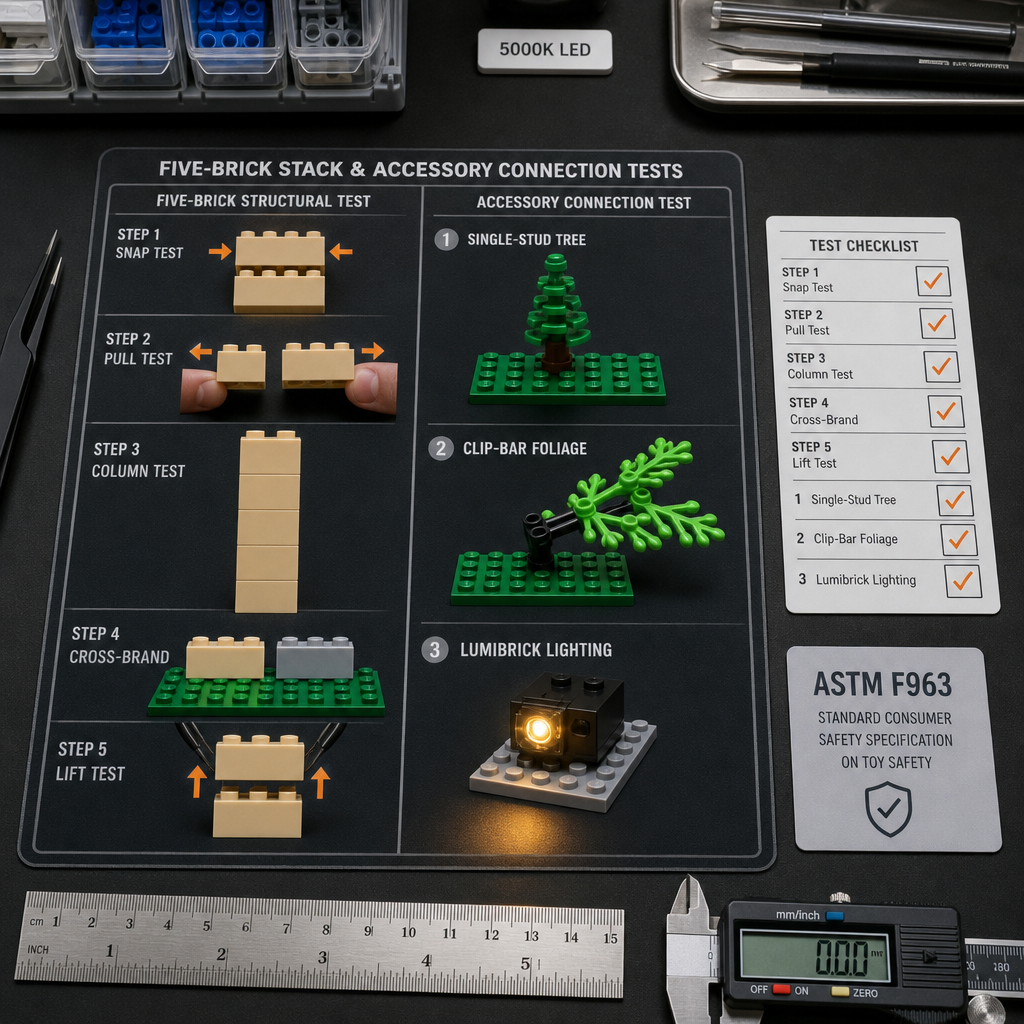
The 5-Brick Stack Test (Structural Bricks)
Snap Test
Press two new-brand bricks together. They should snap, not slide.
Pull Test
Pull them apart. They should resist, then release cleanly with no cracking.
Column Test
Stack five new-brand bricks. The column should stand straight without leaning.
Cross-Brand Connect
Connect a new-brand brick to one from your existing set. Check grip both ways.
Lift Test
Lift the joined pair by the top brick. The bottom brick should hold, not drop.
The Accessory Connection Test (Trees, Lamps, Lighting)
Single-Stud
Examples: Most trees, plants, flowers
Press onto a standard plate. Should seat fully and resist a light sideways tap.
Clip & Bar
Examples: Foliage, signage, arms
Clip onto a standard bar. Should hold at the angle you set it.
Pin
Examples: Technic-style accessories
Push into a standard pin hole. Should click and stay without wobble.
Is Mega Compatible With Lego?
Mega standard-scale bricks use 5 mm stud spacing, so they connect with other standard-system bricks. The practical answer to is mega compatible with lego is: run the 5-brick stack test to confirm clutch power on the specific set you own.
Watch the scale. Some early-learning Mega sets use a larger toddler scale that will not lock with standard system bricks. Always confirm scale before mixing.
Are Lumibricks Compatible With Lego?
Lighting bricks built to the system standard share the same stud footprint as a normal brick, so they drop into your layout in place of a standard piece. When asking are lumibricks compatible with lego, test the seat and the light direction together.
A brick that fits but points its glow into a wall does you no good. Plan placement during the base stage. Browse lighting bricks built to standard footprint at Morebybourn.
How to Use Trees and Nature Accessories in Builds
Greenery turns a flat layout into a scene. A bare baseplate looks like a model. Add trees, bushes, and ground cover and it looks like a place. Here is how to use lego compatible trees so they look natural and stay attached.
Match the Tree to the Scene
Pine & Conifer Trees
Mountain, winter, northern forest scenes
Round Leafy Trees
Parks, suburbs, summer landscapes
Palm Trees
Beaches, tropical bases, island scenes
Bare Branch Trees
Autumn, spooky, or barren settings
Anchor Trees So They Stay Put
Do
Seat the tree on a plate, then surround the base with 1x1 round plates or plants to lock it. The tree resists sideways knocks and travels without falling.
Avoid
Placing a tall tree on one loose stud in the open. Fix: move it beside a wall, rock, or cluster that braces the trunk.
Build Ground Cover for Realism
Scatter Undergrowth
1x1 round plates in mixed greens and browns at tree bases.
Add Flowers & Grass
Small flower and grass elements at trunk bases.
Lay Paths & Rock
Tan and gray tiles for dirt paths and exposed rock.
You can find trees, foliage, and ground-cover elements sized to the standard system at Morebybourn.
How to Mix Lighting and Nature Elements
Lighting and greenery work together. A glowing lamp under a tree. A lit window behind a hedge. Warm light through autumn branches. Done right, the combination sells the whole scene. Done wrong, the wires show and the glow points nowhere.
Plan Light Placement First
Place lighting bricks and lamp posts during the base stage, not after.
Trees and bushes hide wires and battery packs — use them on purpose.
Point each light at what you want seen: a path, a doorway, a clearing.
Match Color Temperature to the Scene
Warm White / Amber
Cozy villages, autumn forests, evening scenes
Cool White
Modern builds, winter, moonlit settings
Colored Bricks
Campfires (orange), fantasy forests (green), special effects
Use Trees to Hide the Hardware
Do
Route lighting wires up a tree trunk or behind a hedge. The glow shows, the hardware disappears.
Avoid
Running a bright wire across open green ground. Fix: add a row of bushes or a low wall along the wire path.
Buyer's Guide: Picking Compatible Accessories
Before you buy trees, lights, or any cross-brand accessory, run through this checklist. It saves returns and frustration.
+Check Scale First
Standard scale for system bricks; toddler scale for chunky early-learning bricks only. Never assume — a product can look standard and be oversized.
+Check the Connector Type
Single stud is most flexible. Clip or bar requires matching bars in your build. Pin requires standard pin holes.
+Check Clutch Reputation
Read builder reviews for 'loose' and 'falls off.' A brand with strong bricks can still have weak accessory grip. Test one small set first.
+Check Color Consistency
Brand-to-brand greens vary. Group same-brand greenery on visible surfaces for a uniform look, or use the variation intentionally for seasonal contrast.
Common Mistakes to Avoid
Buying by photo alone
Photos hide scale and connector type. Always confirm specs before ordering.
Skipping the test
Five minutes of testing prevents a wobbly build.
Mixing color temperatures
Pick one main light tone per scene. Warm and cool mixed randomly looks like a wiring mistake.
Anchoring trees on one open stud
Always brace tall pieces with surrounding 1x1 plates or a nearby wall.
Ignoring scale on early-learning sets
Confirm standard versus toddler before mixing any Mega or chunky-brand pieces.
Key Takeaways
- +Standard bricks share 5mm stud spacing and 8mm height — any brand matching these connects with your collection.
- +Run the 5-brick stack test before trusting any new brand in structural sections.
- +Test accessories separately from bricks — the connector type determines fit.
- +Mega standard-scale bricks are compatible with lego system bricks; confirm scale before mixing toddler sets.
- +Lumibricks compatible with lego footprint: test the seat and light direction together before committing to placement.
- +Plan lighting during the base stage; anchor lego compatible trees with surrounding round plates; pick one color temperature per scene.
Related Guides
Browse Trees, Lighting Bricks, and Accessories
Explore lego compatible trees, standard-footprint lighting bricks, ground-cover elements, and accessories at Morebybourn — tested, certified, and ready to ship to the US and EU.